Export to Anki
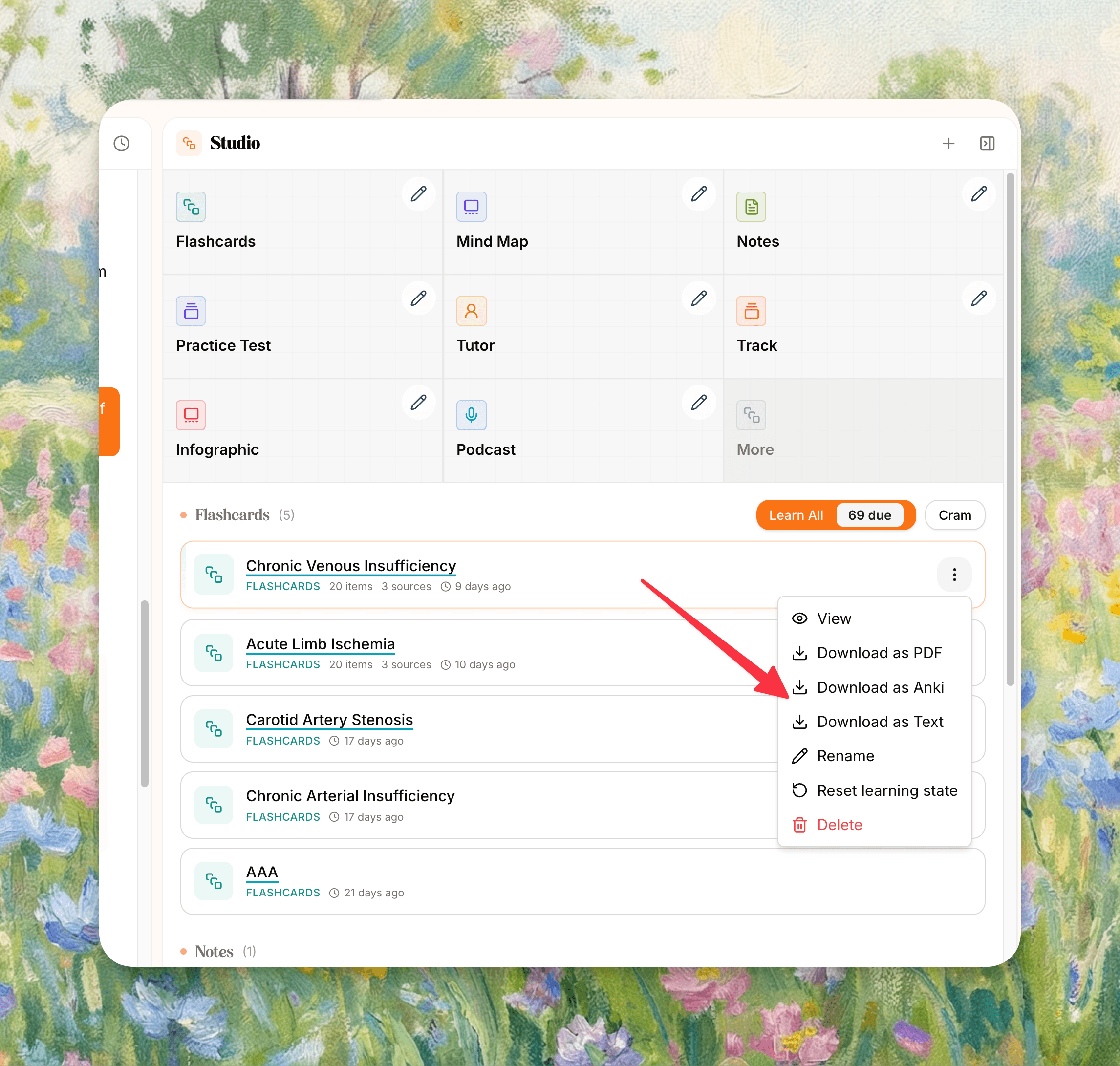
Step-by-step
Export from Memo
-
Open the notebook that contains the flashcard set you want to export.
-
Go to Studio and open the flashcard set or its item menu.
-
Choose the Anki export option.
-
Wait for Memo to prepare the package.
-
Download the
.apkgfile.
Import into Anki
-
Open Anki on desktop.
-
Choose File → Import.
-
Select the
.apkgfile you downloaded from Memo. -
Confirm the import into the destination deck you want in Anki.
What export can include
Depending on your Memo flashcard display settings and source data, an Anki export can include:
-
the flashcard content itself
-
notebook and source context
-
page references where available
-
tags
-
page screenshots or image references when available and enabled
Related export options
Memo flashcards can also be downloaded as:
-
plain text
-
PDF
-
Anki
If you are exporting notes instead of flashcards, use the Notes export options for Markdown or PDF.
Important notes
-
Anki export is for flashcard sets, not for every Studio output type.
-
Importing on desktop Anki is the most reliable path when troubleshooting.
-
If your export is missing optional metadata such as screenshots or tags, check your flashcard display settings before exporting again.
FAQ
Can I export every flashcard set I generate?
Yes, as long as the set exists in your notebook and has finished generating.
Can I export notes to Anki?
No. Notes export separately as Markdown or PDF. Anki export is for flashcards.
Does Memo export one file per notebook or one file per flashcard set?
Export is tied to the flashcard set you choose in Studio.